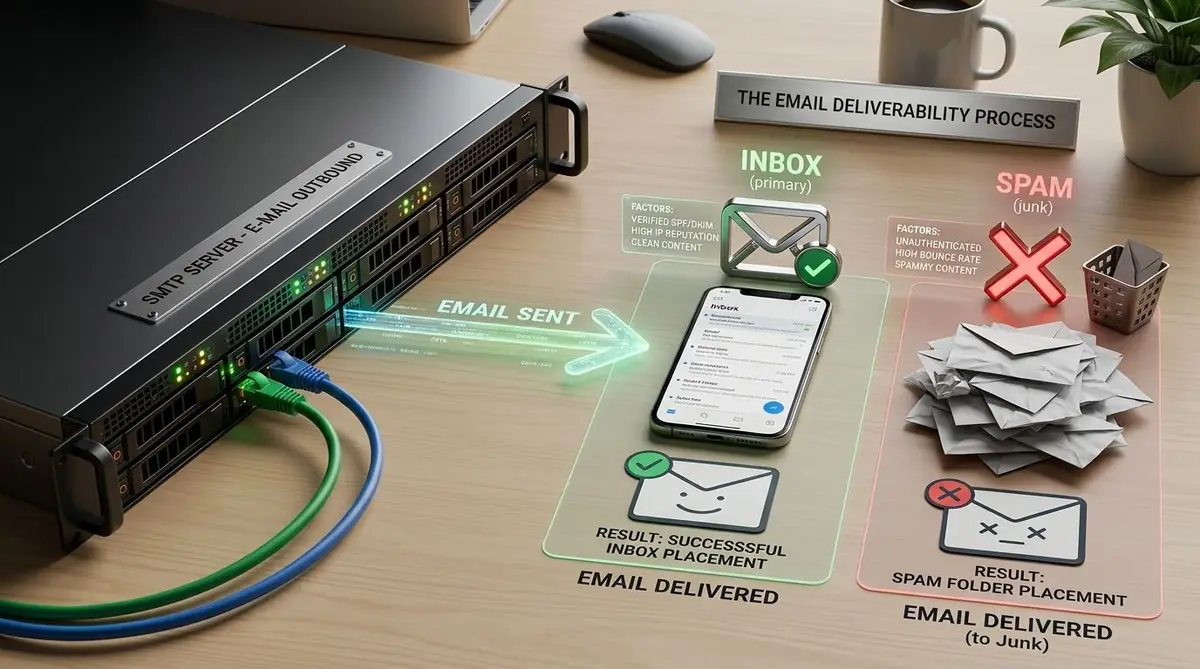
You can send 100,000 emails and still have a serious deliverability problem. The confusing part is that your dashboard may report a high delivery rate while a growing share of those messages never reaches the inbox. Some are filtered into spam, some are deferred, and some are rejected before they become visible to the recipient.
So, how do you improve email deliverability without chasing random "spam words" or changing your subject line every time performance falls? The answer is to treat deliverability as a system. Authentication, infrastructure, sender reputation, list hygiene, subscriber behavior, content, and sending patterns all contribute to the result.
This guide gives you a practical way to find the weak link, fix it, and build a repeatable email deliverability process for newsletters, bulk email, drip campaigns, automated messages, and transactional email.
How to Improve Email Deliverability in One Checklist
Improve email deliverability by authenticating your domain with SPF, DKIM, and DMARC; sending only to permission-based subscribers; suppressing hard bounces, complaints, and unsubscribes; maintaining consistent volume; segmenting engaged contacts; making unsubscribe easy; and monitoring provider-specific reputation and delivery signals.
- 1. Authenticate and align your sending domain.
- 2. Protect sender reputation with relevant, expected email.
- 3. Maintain clean lists and suppression rules.
- 4. Control volume, infrastructure changes, and automation frequency.
- 5. Monitor complaints, bounces, clicks, provider diagnostics, and trends.
What Is Email Deliverability?
Email deliverability describes how reliably your messages are accepted by receiving mail systems and placed where recipients can actually see them, ideally the primary inbox. It is different from email delivery. A server can accept a message for processing while the recipient later sees it in spam or another filtered folder.
A useful mental model is:
- Delivery: Did the receiving system accept the message?
- Deliverability: Did the message reach the intended mailbox location rather than being rejected or filtered?
- Engagement: Do recipients open, click, reply, save, or otherwise interact with the message?
This distinction matters because a high delivery percentage does not prove strong inbox placement. Your troubleshooting process should therefore look beyond a single delivery metric.
Why Emails Go to Spam Even When They Are Sent Successfully
Mailbox providers evaluate multiple signals before deciding how to handle a message. There is no universal "spam score" that you can optimize once and forget. Providers use their own filtering systems and combine authentication, sender history, recipient feedback, message characteristics, infrastructure signals, and other context.
The most common causes of poor inbox placement are:
- Missing or misaligned SPF, DKIM, or DMARC authentication.
- High spam complaints or a pattern of sending unwanted messages.
- Hard bounces, invalid addresses, or poor email-list hygiene.
- Sudden changes in volume, sending identity, domain, or IP behavior.
- Low recipient engagement or sending content that subscribers did not expect.
- Technical problems such as invalid DNS, reverse DNS, TLS, message formatting, or infrastructure configuration.
Important: There is no reliable trick that makes every email land in the inbox. The goal is to build a sender that mailbox providers can authenticate, recipients want to hear from, and sending systems can consistently handle.
Email Marketing Tips
If you are looking for the highest-impact email marketing tips for deliverability, start with the fundamentals below. They are more durable than lists of "spam trigger words" because they address the signals that affect the whole sending program.
- Authenticate every sending domain. Configure SPF and DKIM correctly, then publish DMARC and monitor alignment.
- Send only to people who expect your email. Permission-based acquisition reduces complaints and improves engagement quality.
- Remove or suppress bad addresses quickly. Do not repeatedly send to hard-bounced recipients.
- Control complaint rates. A complaint is a stronger negative signal than simply having a low open rate.
- Keep your sending identity consistent. Use recognizable From names, addresses, domains, and message categories.
- Increase volume deliberately. New domains, IPs, and major volume changes should be introduced gradually and monitored.
- Segment before you scale. Send your strongest content first to engaged subscribers rather than treating every contact as equally valuable.
- Make unsubscribing easy. A clear opt-out is better for reputation than forcing uninterested recipients to report spam.
1. Set Up SPF, DKIM, and DMARC Correctly
Authentication is the technical foundation of a trustworthy sending identity. SPF identifies which systems are authorized to send on behalf of a domain. DKIM adds a cryptographic signature to messages so receiving systems can verify that the signed content came through an authorized path and was not altered in transit. DMARC tells receiving systems how to handle messages that fail authentication and provides reporting capabilities.
For bulk sending to Gmail personal accounts, Google's email sender guidelines require SPF and DKIM, a DMARC record with at least a policy of p=none, valid forward and reverse DNS, TLS, and alignment between the From domain and either the SPF or DKIM domain. Google also requires applicable marketing and subscribed messages to support one-click unsubscribe. Yahoo's sender best practices set similar expectations around SPF, DKIM, DMARC, DNS, complaint rates, and easy unsubscribe.
Do not stop after publishing records. Check that the actual messages leaving your infrastructure authenticate and align. A correct DNS record is not enough if your campaign is signed with the wrong domain or your sending provider is not included in the intended authentication path.
SPF, DKIM, and DMARC: specifics worth getting right
Most authentication problems come from small configuration mistakes rather than missing records. For SPF, keep a single record per domain, stay under the 10 DNS lookup limit, and include every service that sends mail for you. For DKIM, use a 2048-bit key where your DNS provider supports it and rotate keys periodically. For DMARC, start at p=none, review the aggregate reports, fix every legitimate sender, and only then tighten the policy to p=quarantine or p=reject.
| Record | What it proves | Where it lives | Common mistake |
|---|---|---|---|
| SPF | The sending server is authorized for the domain | TXT record on the sending domain | Publishing two SPF records or exceeding 10 DNS lookups |
| DKIM | The message was signed and not altered in transit | TXT or CNAME record for a selector | Signing with a domain that does not match the From domain |
| DMARC | What to do when checks fail, plus reporting | TXT record at _dmarc.yourdomain | Jumping to p=reject before reviewing reports |
Microsoft also expects authentication. Microsoft applies similar SPF, DKIM, and DMARC expectations to high-volume senders to Outlook.com consumer addresses, alongside Google and Yahoo. Provider rules change, so check the current documentation of each provider you send to most.
K2Mailer shows SPF, DKIM, and tracking-domain verification status for each sending domain, so you can see exactly which records still need to be published.
2. Protect Your Sender Reputation
Sender reputation is built over time from the behavior associated with your domain, IP address, and sending patterns. Reputation is not a single universal number that every provider shares. Gmail, Yahoo, Microsoft, and other mailbox providers use their own systems and signals.
Think of reputation as the history you create every time you send. High complaint rates, repeated bounces, suspicious spikes, and poor recipient engagement can weaken that history. Consistent volume, accurate authentication, permission-based lists, and relevant messages create a stronger foundation.
For large programs, separate traffic types when appropriate. Transactional messages and promotional campaigns can have very different engagement patterns. Keeping identities and infrastructure organized makes troubleshooting easier and helps you understand which stream is causing a problem.
Domain reputation, IP reputation, and shared vs. dedicated IPs
Domain reputation now carries more weight than IP reputation at many providers, especially Gmail, because the domain follows you even when the IP changes. Both still matter, and both are built the same way: consistent volume, consented recipients, and low complaint and bounce rates. The infrastructure choices below change how much of that reputation you control.
- Shared IPs: Lower cost and faster setup, but your reputation is influenced by other senders on the same pool.
- Dedicated IPs: More direct control over reputation, but they need enough consistent volume and a careful warm-up.
- Multiple sending IPs: Useful in some large sending architectures, but rotating IPs is not a substitute for consent, list quality, or good content.
- Dedicated sending and tracking domains: Keep your brand reputation separate from shared tracking domains.
K2Mailer supports configurable sending servers, sending domains, and tracking domains, so teams that send at high volume can control the infrastructure behind their campaigns instead of relying on a single shared setup.
3. Clean Your Email List Before You Increase Volume
A large list is not automatically a valuable list. Old addresses, abandoned inboxes, role accounts, invalid addresses, and subscribers who no longer want your messages can reduce campaign quality and increase bounce or complaint risk.
Use a lifecycle-based approach to email-list hygiene. Identify recent engagers, recently inactive contacts, long-term inactive contacts, hard bounces, soft-bounce patterns, unsubscribes, and known suppressed addresses. Then apply different actions to each group instead of deleting everyone who has not opened one email.
- Hard bounce: Suppress the address rather than repeatedly retrying it.
- Soft bounce: Monitor the reason and frequency before deciding whether to suppress.
- Unsubscribed: Keep the address on the suppression system so it is not accidentally re-added to future marketing sends.
- Inactive: Use a measured re-engagement workflow, then suppress contacts who remain inactive according to your policy.
Spam traps, purchased lists, and low engagement
- Spam traps: Recycled or abandoned addresses used by mailbox providers and blocklist operators to catch careless senders.
- Purchased or scraped contacts: No consent, high trap risk, and a fast route to blocklists.
- Low engagement: If most of your list never opens or clicks, providers infer that your mail is unwanted.
The most reliable fixes are the simple ones: collect consent clearly, use double opt-in where the risk of bad addresses is high, verify addresses at import, and sunset contacts who have not engaged for a long period. Our guide to email list building strategies covers the acquisition side of this in detail.
4. Use Segmentation to Improve Engagement Quality
Sending the same campaign to every subscriber creates a relevance problem. Someone who bought yesterday should not necessarily receive the same message as someone who has never clicked an email.
Start with useful segments such as recent purchasers, active readers, high-value customers, geographic groups, product interests, lifecycle stage, or engagement windows. Then match the message and frequency to the segment.
Segmentation also helps with deliverability because it lets you prioritize the most engaged recipients when testing a new campaign or increasing volume. If the engaged segment responds well, you have stronger evidence that the content and sending pattern are healthy before expanding the audience.
5. Handle Bounces and Suppression Lists Automatically
Bounce handling should not be a manual cleanup task performed after every campaign. Your sending system should classify bounce events, suppress addresses that should no longer receive mail, and preserve unsubscribe and complaint information across future sends.
A suppression list is especially important for preventing accidental re-mailing. If a person unsubscribes from a newsletter and then gets imported into a new list, your system should still recognize that suppression status. The same principle applies to hard bounces and complaint events.
For high-volume programs, monitor bounce reasons rather than only the total percentage. Repeated temporary failures can indicate throttling or infrastructure problems, while permanent failures often point to invalid recipients or domain-level issues.
Bounce, complaint, and blocklist signals: what to do
| Signal | What it means | What to do |
|---|---|---|
| Hard bounce | The address does not exist or permanently rejects mail | Suppress immediately and never retry |
| Soft bounce | A temporary problem such as a full mailbox or server issue | Retry, and suppress only after repeated failures |
| Spam complaint | A recipient clicked "Report spam" | Suppress the contact permanently and review your consent and targeting |
| Deferral or throttling | The provider is slowing your mail | Reduce volume and pace, then review recent reputation signals |
| Blocklist listing | An IP or domain appears on a reputation list | Investigate the cause, fix it, then request removal where the list allows it |
Feedback loops (FBLs) are programs where a mailbox provider forwards complaint reports to the sender. Process those reports promptly and stop mailing the affected recipients. K2Mailer processes bounce and complaint events into recipient protections, so complaint status stays sticky and affected contacts are not treated like ordinary active subscribers. For setup details, see the K2Mailer guides on bounce and feedback loop handling, suppressions and blocklists, and sending domains and DNS.
6. Make Unsubscribe Easy and Respect It Everywhere
An unsubscribe is not a deliverability failure. It is a useful signal that lets an uninterested recipient leave without escalating to a spam complaint.
For applicable marketing traffic, provide a clear unsubscribe option in the message and implement the technical one-click unsubscribe mechanism required by major mailbox providers for bulk promotional sending. Google and Yahoo both emphasize easy unsubscribe for bulk marketing mail. Unsubscribe requests should be honored promptly and consistently across lists, automations, and campaigns.
Do not hide the unsubscribe link, require unnecessary account steps, or continue sending from another list after a person has opted out. That creates the exact recipient frustration that good deliverability practices are designed to avoid.
7. Warm Up New Sending Infrastructure Carefully
If you launch a new domain or dedicated IP, do not assume that technical configuration instantly creates a trusted reputation. New infrastructure has little sending history, so mailbox providers have less evidence about how recipients respond to your messages.
Start with your most engaged audience and increase volume gradually. Keep the sending pattern consistent instead of sending a small test today and a massive blast tomorrow. Monitor SMTP responses, bounce rates, complaints, authentication, and engagement as volume increases.
Warm-up is not a magic schedule that guarantees inbox placement. The correct pace depends on your domain history, IP reputation, audience quality, sending frequency, and provider feedback.
A simple warm-up sequence
- Authenticate first: Publish SPF, DKIM, and DMARC and confirm alignment before the first campaign leaves.
- Start with your most engaged contacts: People who recently opted in, purchased, or clicked build trust fastest.
- Increase volume in controlled steps: Raise daily volume in measured increments instead of jumping from hundreds to hundreds of thousands.
- Watch the signals after every send: Track bounces, complaints, deferrals, and clicks, and pause or slow the ramp when any of them worsens.
- Keep the cadence consistent: Irregular spikes after long silences look suspicious. Steady sending builds steadier reputation.
8. Keep Your From Identity Consistent
Recipients should quickly recognize who is sending the message and why. Keep your From domain and address consistent within each message category where possible. For example, account notifications can use one recognizable identity while promotional campaigns use another, provided both are properly authenticated and managed.
A sudden switch from one domain to another, an unfamiliar From name, or a misleading subject can reduce trust and increase complaints. Consistency is not only a branding principle. It helps recipients understand the relationship they have with the sender.
9. Avoid Sudden Sending Spikes
Mailbox providers can evaluate sending rate, volume, recipient feedback, and infrastructure history. A sudden tenfold increase can therefore create a very different delivery pattern from a steady daily program, even when both send the same content.
Plan launches, seasonal promotions, and re-engagement campaigns around your established sending behavior. If a major increase is unavoidable, use segmentation and staged sends so you can observe results before releasing the full volume.
10. Write for the Recipient, Not the Spam Filter
There is no reliable master list of words that automatically sends an email to spam. Modern filtering is contextual and uses many signals. Replacing one word in a subject line will not repair a damaged sender reputation or a poor list.
Instead, make the message expected, useful, readable, and easy to act on. Use a clear subject, explain why the recipient is receiving the email, keep the copy focused, maintain a trustworthy From identity, and make the primary action obvious.
Also check links, HTML structure, image rendering, mobile layout, and text-to-image balance. Content quality is only one part of deliverability, but poor content can still increase complaints and reduce engagement.
Content patterns worth removing
- ALL CAPS subject lines and excessive exclamation marks.
- A high image-to-text ratio with little readable text.
- Mismatched URLs, where the link text shows one address and the href points to another.
- Public link shorteners such as bit.ly, which hide the destination and are often abused.
- Business email sent from a free webmail From address such as gmail.com or yahoo.com.
- Broken or missing unsubscribe links, or unsubscribe steps that require a login.
K2Mailer runs deterministic pre-send checks that flag critical content, tracking, audience, and sending-setup issues before a campaign is scheduled, so many of these problems are caught while they are still cheap to fix.
11. Separate Transactional Email from Marketing Email
Transactional email and marketing email have different purposes. A password reset, purchase receipt, or account alert is triggered by a user or system event. A newsletter, promotion, or product announcement is designed to influence engagement or sales.
Keep these categories clearly defined in your application and sending infrastructure. Mixing unrelated traffic can make reputation and troubleshooting harder, especially when one stream has very different complaint or engagement behavior.
Your compliance obligations can also differ by message type and jurisdiction, so do not assume that a rule for promotional mail applies identically to every transactional message.
12. Measure Deliverability With the Right Signals
Do not use open rate as your only definition of success. Privacy features and mailbox-provider behavior can make open tracking less precise than it appears. Use a wider measurement set.
- Accepted or delivered messages: Shows how many messages receiving systems accepted, but not necessarily inbox placement.
- Hard and soft bounces: Reveals recipient and infrastructure problems.
- Spam complaints: A critical reputation signal that should be watched closely.
- Clicks and conversions: Usually more actionable than opens when evaluating content performance.
- Unsubscribe rate: Helps identify message frequency or relevance problems.
- Provider-level diagnostics: Use tools such as Gmail Postmaster Tools and relevant feedback loops where available.
Complaint rate benchmark: Aim to keep spam complaint rates below 0.1% and never let them approach 0.3% at Gmail or Yahoo. Complaint rates are calculated per mailbox provider, so review them by provider and not only as one blended number.
More sources to combine
- Postmaster tools: Google Postmaster Tools and Microsoft SNDS show domain and IP reputation for those providers.
- DMARC aggregate reports: Reveal unauthorized senders and alignment failures.
- Blocklist checks: Monitor the major reputation lists for your sending IPs and domains.
- Seed and inbox tests: Useful for spotting sudden placement changes, but treat them as directional, not definitive.
13. Use Automation Without Automating Bad Habits
Automation can improve timing and relevance, but it can also multiply a deliverability mistake. A poorly configured welcome sequence can repeatedly message the wrong people just as efficiently as it messages the right people.
Build safeguards into every workflow: check subscription status before sending, honor suppression lists, stop sequences after conversion where appropriate, cap frequency, and remove or re-engage inactive contacts based on a defined policy.
For a deeper workflow framework, see our email marketing automation guide. For broader campaign and list hygiene practices, our email marketing best practices guide provides a useful companion.
14. Audit Your Email Infrastructure Before Blaming Content
When inbox placement falls, start with the technical layer. Confirm that your sending domain resolves correctly, authentication passes, DKIM signatures validate, DMARC alignment is working, reverse DNS is configured for applicable infrastructure, TLS is used, and your SMTP server is returning understandable response codes.
Then inspect your operational layer. Check whether a new IP, provider, domain, campaign, list import, automation, or volume spike coincided with the change. This timeline often reveals the cause faster than changing the copy.
K2Mailer includes infrastructure and deliverability-oriented capabilities such as sending domains, sending servers, bounce handling, suppression, tracking, and campaign analytics. Explore the K2Mailer email marketing features to see which parts of the sending workflow can be managed from the platform.
15. Build a Repeatable Deliverability Checklist
The best deliverability programs do not depend on someone remembering ten technical checks before every send. Turn the process into a repeatable pre-send and post-send routine.
Before sending
- ✓ Confirm the audience has permission to receive the message.
- ✓ Check suppression, unsubscribe, and bounce status.
- ✓ Verify SPF, DKIM, and DMARC status for the sending domain.
- ✓ Confirm From identity, links, reply address, and message category.
- ✓ Review segmentation and sending volume against recent campaigns.
- ✓ Test rendering, links, personalization, and unsubscribe behavior.
After sending
- ✓ Review delivery responses and bounce categories.
- ✓ Monitor complaints and unsubscribe activity.
- ✓ Compare clicks and conversions with previous sends.
- ✓ Investigate provider-specific anomalies before scaling volume.
- ✓ Feed useful findings back into your segments and automation rules.
Quick technical checks
- ✓ One SPF record per domain, DKIM signing aligned with the From domain, and DMARC published (start at p=none).
- ✓ A custom tracking domain configured instead of a shared tracking domain.
- ✓ One-click unsubscribe and a visible unsubscribe link in every marketing message.
- ✓ Spam complaint rate kept below 0.1% and never allowed to reach 0.3%.
- ✓ Inactive contacts sunset after a re-engagement attempt.
How to Diagnose a Sudden Drop in Email Deliverability
When a campaign suddenly starts landing in spam, resist the urge to change everything. Use a fault-isolation process.
- Check the timeline. Identify exactly when the decline started and what changed immediately before it.
- Check authentication. Confirm SPF, DKIM, DMARC, and alignment on the actual sending domain.
- Check bounces and SMTP responses. Look for blocks, throttling, policy failures, or recipient errors.
- Check complaints and engagement. A spike in complaints or a sudden engagement collapse can point to audience or content issues.
- Check list changes. Review recent imports, purchased or scraped addresses, old segments, and reactivated contacts.
- Check infrastructure. Look for a new IP, provider, DNS change, routing change, or unusual send volume.
- Test with a controlled audience. Use a small, engaged segment rather than repeatedly blasting the full list while troubleshooting.
Diagnostic rule: If the problem appeared immediately after a DNS, domain, IP, provider, list, or volume change, investigate that change before rewriting your entire email strategy.
How K2Mailer Fits Into a Deliverability-Focused Email Program
K2Mailer is designed for businesses, marketers, agencies, SaaS teams, and other senders that need campaign management alongside the operational controls required for high-volume email. Its feature set includes sending domains and servers, bounce and suppression handling, campaign analytics, segmentation, automation, tracking, and deliverability-oriented infrastructure options.
The platform cannot guarantee inbox placement because no legitimate email platform can override a recipient's mailbox-provider filtering decisions. What it can do is give your team more control over the inputs that influence sending quality and make those inputs easier to manage consistently.
If you already have a K2Mailer account, log in to K2Mailer to review your sending configuration, contacts, campaigns, and deliverability controls.
Email Deliverability FAQ
What is the fastest way to improve email deliverability?
Start with the highest-risk fundamentals: authenticate the sending domain with SPF and DKIM, publish DMARC, remove hard bounces and suppressed contacts, stop sending to people who did not request your email, reduce complaint risk, and review sudden changes in volume or infrastructure. These actions address common causes of filtering more reliably than changing a few words in a subject line.
Does SPF improve email deliverability?
SPF helps receiving systems verify whether a sending server is authorized for a domain. It is an important authentication control, but SPF alone does not guarantee inbox placement. DKIM, DMARC alignment, reputation, recipient feedback, list quality, content, and sending behavior also matter.
Does DKIM affect inbox placement?
Yes. DKIM provides message authentication and can contribute to a trustworthy sending identity. For bulk senders, major mailbox providers expect DKIM authentication as part of their sender requirements. Make sure the signature is valid and uses the intended domain.
Do I need DMARC if SPF and DKIM already pass?
Yes for modern bulk-sender readiness. DMARC adds policy and reporting around authentication, and Google requires bulk senders to personal Gmail accounts to publish a DMARC record with at least p=none. Alignment between the visible From domain and authenticated identity also matters.
Can a clean email list fix poor sender reputation?
A clean, permission-based list can remove a major source of future damage, but reputation recovery usually requires consistent sending behavior over time. Reduce complaints, suppress invalid and unwanted recipients, authenticate correctly, and send relevant messages to engaged users while monitoring provider feedback.
Is a high email delivery rate the same as good deliverability?
No. Delivery generally refers to acceptance by the receiving system. Deliverability is concerned with whether messages reach the intended mailbox placement and avoid rejection or filtering. A high delivered percentage can therefore coexist with poor inbox placement.
How often should I clean my email list?
Use continuous suppression for hard bounces, complaints, and unsubscribes, then review engagement on a recurring basis. The right inactivity window depends on your sending frequency and business model. A monthly or quarterly review is a practical starting point for many programs.
Can email automation hurt deliverability?
Yes. Automation can multiply poor targeting, excessive frequency, stale contacts, or missing suppression rules. Add eligibility and suppression checks to every workflow, honor complaints and unsubscribes, and use frequency controls where your system supports them.
How do I know whether content or reputation is the problem?
Look for timing and scope. If multiple campaigns across different content types suddenly decline after an infrastructure or volume change, reputation or technical factors deserve priority. If one campaign or segment behaves differently while the rest remains stable, audience relevance or content is more likely to be involved.
Does changing spam trigger words improve deliverability?
Not reliably. Modern filtering uses many contextual signals, so removing a few words cannot compensate for authentication failures, high complaint rates, poor list hygiene, or a damaged sending reputation. Improve the entire sending system instead.
What is a good spam complaint rate?
Aim to stay below 0.1% and never let the rate reach 0.3% at Gmail or Yahoo. Complaint rates are calculated per mailbox provider, so review them by provider, not only as a single blended number.
How long does it take to warm up a new IP or domain?
There is no fixed schedule. Many senders ramp over several weeks, starting with their most engaged recipients and increasing volume as bounce, complaint, and engagement signals stay healthy. Slow down or pause when any signal worsens.
Why are my emails going to spam?
The most common causes are missing or misaligned authentication, high complaint or bounce rates, purchased or stale lists, low engagement, misleading content, and a sudden jump in sending volume. Check authentication first, then list quality and complaint data.
Does K2Mailer guarantee inbox placement?
No provider can guarantee inbox placement. K2Mailer provides sending-domain verification, pre-send checks, bounce and complaint processing, suppressions, and email verification tools that help senders follow good practice. Results still depend on consent, list quality, and content.
The Bottom Line: Deliverability Is a Process, Not a Trick
If your emails are going to spam, the answer is rarely one magic setting. Strong email deliverability comes from a chain of small decisions: authenticate the domain, maintain clean lists, suppress bad addresses, respect unsubscribe requests, send useful content, control volume, segment intelligently, monitor complaints, and investigate infrastructure changes quickly.
Start with the technical foundation, then improve audience quality and sending behavior. Once those pieces are stable, use automation and campaign analytics to scale what works instead of scaling problems.
That is the practical path to higher-quality inbox placement: make every send more expected, more authenticated, more relevant, and easier for recipients to control.