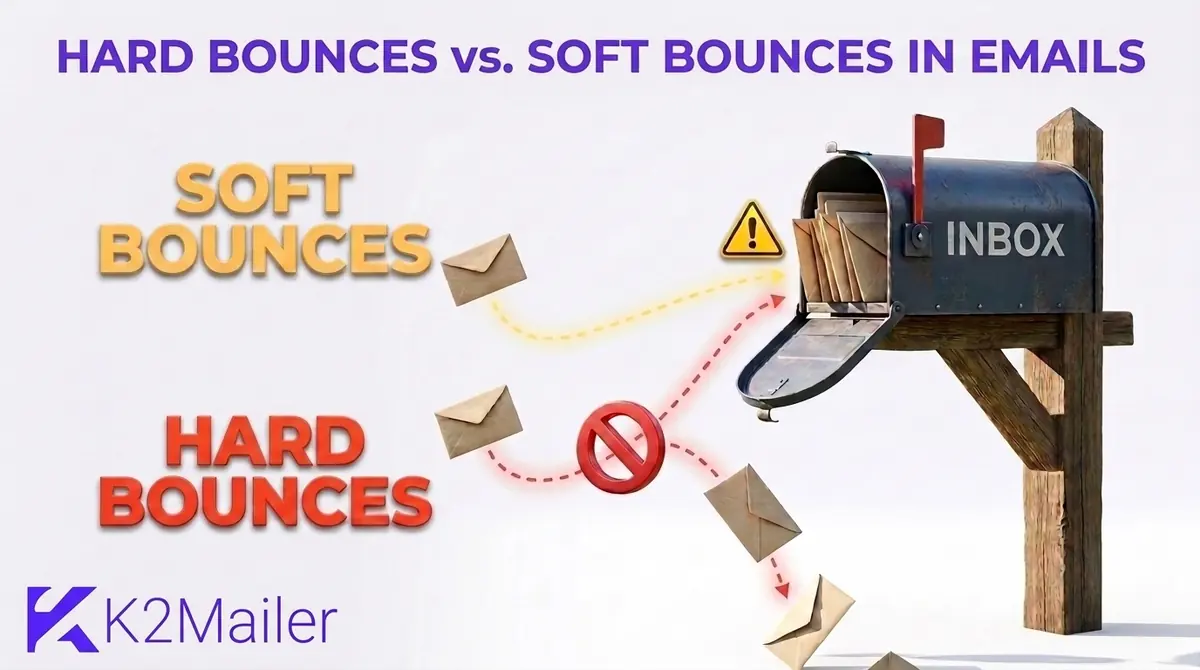
What does a bounced email mean?
You send an email, and a few seconds later a message lands in your inbox from Mail Delivery Subsystem or MAILER-DAEMON with a subject like Undelivered Mail Returned to Sender. That is a bounce. A bounced email is a message the receiving mail server refused or could not deliver, so it came back to you as a failure notice instead of reaching the recipient.
People search for this under many names: bounce email, email bounce meaning, bounced email meaning, what does bounced mean, what does bounced email mean, message bounced, or bounce back message. They all describe the same event. The returned notice is technically a delivery status notification (DSN) or non-delivery report (NDR), and it carries the reason delivery failed.
Short definition
An email bounce happens when a mail server rejects a message and sends a failure notice back to the sender. Bounces come in two types: hard bounces, which are permanent, and soft bounces, which are temporary.
Here is the part that surprises most new senders. A bounce is not the same as landing in spam. A bounced message was rejected and never reached any folder. A message in the spam folder was accepted and then filed. Your platform reports them separately, and they need different fixes.
So, when an email bounces what does that mean for you? It means the address, the recipient server or your own sending setup has a problem, and the notice tells you which one. The rest of this guide shows you how to read it.
Hard bounce vs soft bounce in emails: the quick comparison
If you only have a minute, this table answers the hard vs soft bounces question. The short version: hard bounces will never work, soft bounces might. Treat them differently, because soft vs hard bounces carry very different risks for your sender reputation.
| Factor | Hard bounce | Soft bounce |
|---|---|---|
| Meaning | Permanent delivery failure | Temporary delivery failure |
| SMTP reply class | 5xx, for example 550 5.1.1 | 4xx, for example 452 4.2.2 |
| Typical causes | Address does not exist, invalid domain, closed mailbox, permanent server block | Full mailbox, server down or busy, message too large, greylisting, throttling |
| Will a retry work? | No | Often yes, within hours or days |
| What to do | Suppress the address immediately | Retry automatically, then suppress if it keeps failing |
| Risk if ignored | High: damages sender reputation and can hit spam traps | Moderate: repeats turn into dead addresses and drag reputation down |
Providers do not always follow this textbook split. Check the full status code and the wording of the notice before you decide.
What is a hard bounce in email?
A hard bounce is a permanent delivery failure. The receiving server is telling you this address will not accept your mail, now or later, so retrying is pointless. If you have wondered what is a hard bounce, or what is hard bounce in plain terms, think of a letter returned marked no such address. The post office is not going to try again tomorrow.
Common causes of hard bounces
- The address does not exist. A typo like gmial.com or a mailbox that was never created produces a 550 5.1.1 response, often described as a bad mailbox.
- The domain does not exist or cannot receive mail. A mistyped domain or an expired company website returns a 5.1.2 code or a DNS failure.
- The mailbox was closed. People leave jobs, schools shut down accounts, and free providers delete inactive ones.
- The recipient server blocks you outright. A policy block, a blocklisted IP or a failed authentication check can return a permanent 5.7.x rejection even though the address is perfectly fine.
That last one matters. Not every hard bounce means the address is dead. A permanent rejection caused by your own authentication or reputation is a sender problem, and removing the contact will not fix it. You will see how to tell the difference further down.
What a hard bounce means for your list
Once an address hard bounces, take it out of future sends the same day. Mailbox providers read repeated mail to dead addresses as the habit of a careless sender, and abandoned addresses can later be reused as spam traps. Suppress the address rather than simply deleting it, so a future import cannot quietly add it back.
What is a soft bounce email?
A soft bounce is a temporary delivery failure. The recipient address is real and the server answered, but something stopped the message from arriving this time. If you are asking what does soft bounce mean in email, the honest answer is not right now. A soft email bounce is usually retried automatically and often succeeds without any help from you.
Common causes of soft bounces
Mailbox full
The inbox is over quota. An active Gmail account, for example, normally returns a temporary 452 4.2.2 until space is freed.
Server down or busy
The recipient server is offline, overloaded or in maintenance, so the connection times out or is refused for now.
Message too large
Heavy images or attachments can exceed the recipient size limit. The fix is on your side: compress the file or link to it instead.
Greylisting and throttling
Some servers defer mail from unfamiliar senders, or slow you down when you send too fast. A well-behaved sender retries and gets through.
Mail servers retry soft bounces on their own. How long they keep trying depends on the sending system, but a retry window of several hours up to a few days is typical. If the message is still undelivered when that window closes, it is returned to you as a bounce and your platform records it.
The trap
A soft bounce that happens once is noise. A soft bounce that happens on every campaign for a month is a dead mailbox. Count the repeats, not the single events.
Bounced email message example and what the codes say
Reading the bounce back message is the fastest way to stop guessing. Here is a typical hard bounce notice. The exact wording changes by provider, but the structure is always the same: a headline, a reason and a status code.
Bounced email message example (hard bounce)
Subject: Delivery Status Notification (Failure). Your message wasn't delivered to jane@example.com because the address couldn't be found, or is unable to receive email. The response was: 550 5.1.1 The email account that you tried to reach does not exist.
SMTP bounce codes carry two numbers that do the work. The three-digit SMTP reply code starts with 4 for a temporary failure or 5 for a permanent one. The enhanced status code, such as 5.1.1, comes from the enhanced status codes defined in RFC 3463 and gives the specific reason. Read both.
| Code | Usually means | Bounce type | What to do |
|---|---|---|---|
| 550 5.1.1 | Mailbox does not exist (bad mailbox) | Hard | Suppress now |
| 550 5.1.2 | Domain does not exist | Hard | Suppress now and check for typos |
| 452 4.2.2 | Mailbox full, active account | Soft | Retry and watch for repeats |
| 552 5.2.2 | Mailbox over quota | Depends on provider | Read the wording, then decide |
| 421 4.7.0 | Temporary rate limit or reputation deferral | Soft | Slow down and retry later |
| 550 5.7.1 | Refused by policy, block or authentication | Hard, but a sender issue | Fix authentication or reputation, do not just delete the contact |
Some providers deviate from the textbook. Gmail, for instance, uses 552 5.2.2 when an account is both over quota and inactive, which is why reading the wording beats trusting the first digit.
Why does an email bounce? The root causes behind the codes
Codes tell you what the receiving server saw. They do not tell you how the bad address got on your list in the first place, and that is where the real fix lives. Trace bounces back to their source and the same few causes show up again and again.
- Typos at signup. Almost nobody retypes their email address, so one wrong letter becomes a permanent hard bounce. Double opt-in catches nearly all of them.
- Old lists. A list that has not been mailed for a year is full of abandoned mailboxes. Restart it in small batches, not in one big send.
- Purchased or scraped contacts. Bought data is the fastest route to a high bounce rate and to spam traps, and it breaks most platform terms.
- Disposable addresses. They expire within hours or days, which turns a good-looking signup into a hard bounce a week later.
- Missing authentication. Without SPF, DKIM and DMARC, large providers can refuse your mail, and the bounce looks like a recipient problem when it is yours.
- Sending too much, too fast. A sudden volume jump from a new domain triggers throttling, which shows up as soft bounces first.
- Weak sender reputation. Poor reputation produces deferrals and blocks even to perfectly valid mailboxes.
Notice that only the first four are about the address. The last three are about you. That split is the most useful diagnostic in this guide, and it comes back in the troubleshooting section below.
Blocks, spam folders and out-of-office replies: what counts as a bounce
Not every failure is a clean hard or soft bounce, and a few things that feel like bounces are not bounces at all.
Block bounces
Some tools label a rejection caused by a blocklist, a reputation filter or failed authentication as a block bounce. These are usually permanent or long-lasting rejections, yet the address is fine. Counting them as ordinary hard bounces and deleting the contacts is how senders lose good subscribers.
Out-of-office and auto-replies
An automatic reply means the message was delivered. It is not a bounce, and you should not suppress that contact.
Spam folder placement
Delivered to spam is not a bounce either. It shows up as low engagement rather than an error, which is why bounce rate alone never tells you the whole deliverability story.
Immediate versus delayed bounces
Most bounces happen during the SMTP conversation, so your platform knows within seconds. Some servers accept the message first and send a failure notice later to your return path address. Those delayed bounces can arrive hours afterward, which is why a campaign bounce count keeps creeping up after the send has finished.
What is a good email bounce rate?
Email bounce rate is the share of sent emails that were not delivered: bounced emails divided by emails sent, times 100. Send 10,000 emails, see 150 bounce, and your email bounce rate is 1.5%. Check whether your platform divides by sent or by delivered, because the two give slightly different numbers.
A healthy total bounce rate for most lists
Warning zone: find the source before the next send
Stop and fix. Some platforms review or pause accounts here
These are working benchmarks, not laws, and mailbox providers do not publish one official bounce threshold. Sending platforms do publish theirs. Amazon SES, for example, places an account under review at a bounce rate of 5% or higher and may pause sending at 10% or higher, and it counts hard bounces in that calculation.
Split the number before you judge it. A total of 2% made mostly of soft bounces from one busy provider is a different situation from 2% made of hard bounces on an old import. As a rule of thumb, keep hard bounces well under 1% on an established list, and expect a first campaign to a fresh, verified list to land close to zero.
A quick worked example
Say you send to 20,000 contacts and 600 bounce. That is 3%, which sits in the warning zone. If 520 are 550 5.1.1 hard bounces and 80 are 452 4.2.2 soft bounces, the problem is your list, not the servers. Suppress the 520, retry the 80, and look hard at where those addresses came from before you send again.
How bounces affect sender reputation and deliverability
Mailbox providers score senders partly on how often their mail hits addresses that do not exist. A high hard bounce rate says you are mailing people you never verified, which is the profile of a spammer. Reputation drops, more mail lands in spam, and in bad cases providers start rejecting you outright.
The stakes rose in recent years. Gmail and Yahoo began requiring SPF, DKIM and DMARC from bulk senders in 2024, and Outlook.com followed in May 2025 for senders above 5,000 messages a day. Mail that does not comply can be filtered or rejected, and the rejections show up in your reports as 5.7.x bounces.
Authentication is the part you control completely. If you have not set it up yet, the email deliverability guide walks through SPF, DKIM and DMARC step by step, and the safe bulk email sending guide covers the sending habits that keep large lists healthy.
How to reduce your bounce rate in 7 steps
Cleaning up after bounces helps. Preventing them helps more. These seven steps reduce email bounce rate at the source, and each one lightens the load on the next, so work through them in order.
Confirm addresses at signup
Use double opt-in so every subscriber proves they own the address. It removes typos and fake signups before they ever reach your list.
Verify before you import or send
Run old or imported lists through address verification and send a small test batch first. Never mail a list you have not used in a year at full volume.
Authenticate your sending domain
Set up SPF, DKIM and DMARC and send from a domain you control. Authentication failures cause permanent rejections that have nothing to do with the recipient.
Suppress hard bounces immediately
Add every hard bounce to your suppression list the same day, and make sure a later import cannot override it.
Set a soft bounce rule
Retry soft bounces automatically, then suppress an address after a fixed number of consecutive failures. Three campaigns in a row is a sensible starting point.
Re-engage or remove inactive contacts
Addresses that have not opened or clicked in six to twelve months are the likeliest to turn into bounces and spam traps. Send one re-engagement email, then sunset the silent ones.
Watch bounces by campaign and domain
A spike at one provider points to a provider-side issue. A spike across every provider points to your list or your setup. Check after every send.
For a deeper look at growing a list that does not decay, see these email list building strategies.
A simple bounce handling policy you can copy
Teams argue about bounce rules because nobody wrote one down. Here is a starting policy for email bounce handling and email list hygiene. Adjust the numbers once you see your own data.
| Situation | Action | Why |
|---|---|---|
| One hard bounce (5.1.1 or 5.1.2) | Suppress at once | The address cannot receive mail |
| One soft bounce | Keep and retry | Most clear up without help |
| Three soft bounces in a row across campaigns | Suppress, or move to a re-engagement segment | A repeating soft bounce is usually an abandoned mailbox |
| Mailbox full for 30 days or more | Pause sending to that contact | The owner is probably not using the account |
| Permanent block with 5.7.x wording | Investigate authentication and reputation, keep the contact | The problem is on the sender side |
| Bounces right after a new import | Pause the batch, check the source, verify | Imports are the most common cause of sudden spikes |
Write the policy into your platform settings where you can, and into your team notes where you cannot. Consistency matters more than the exact threshold.
Bounce rate suddenly spiked? How to find the cause
A sudden jump almost always has a single cause. Check these four before you change anything else.
Is it one provider?
If only one domain is bouncing, check that provider for outages and your reputation with it. Slow your sends to that domain and retry later.
Did it follow an import?
Compare the bounce rate of the new contacts with the old ones. If only the new batch is bouncing, the source is the problem.
Did DNS or your sending domain change?
A broken SPF, DKIM or DMARC record after a DNS edit can cause permanent rejections at every provider at once.
Did volume jump after a quiet spell?
Old addresses plus sudden volume produce hard bounces and throttling together. Send smaller batches to your most engaged contacts first.
Once you know which bucket you are in, how to fix bounced emails gets much simpler. A list problem needs suppression and verification. A setup problem needs DNS and authentication repairs. A reputation problem needs slower, smaller sends to engaged contacts until providers trust you again.
Bounce glossary: terms you will see in reports
| Term | Plain-English meaning |
|---|---|
| Hard bounce | A permanent delivery failure, such as a nonexistent address |
| Soft bounce | A temporary delivery failure, such as a full mailbox |
| Block bounce | A rejection caused by reputation, a blocklist or policy, not by a bad address |
| NDR or DSN | The non-delivery report or delivery status notification a server sends back |
| Return-Path | The envelope address that receives bounce notices and is checked by SPF |
| Suppression list | Addresses that must never be mailed again |
| Greylisting | A server temporarily rejects mail from an unknown sender to see whether it retries |
| Deferral | A temporary delay where the receiving server asks the sender to try again later |
| Spam trap | An address used to catch senders with poor list practices |
What good bounce handling looks like in an email platform
If you are comparing email tools or bounce management software, bounce handling is one of the quiet features that separates a serious platform from a basic sender. Ask these questions before you commit:
- Are hard bounces suppressed automatically, and can an import override that?
- Can you see the actual bounce reason and code, not just a count?
- Are soft bounces retried, and what happens when they keep failing?
- Can you see bounce rates by campaign and by recipient domain?
- Are suppressions applied across every list and automation, not only the one you were working in?
- Is there address verification or a pre-send check before a large campaign?
K2Mailer was built around that checklist. The K2Mailer email marketing platform processes bounces and complaints, keeps hard-bounce evidence as a delivery protection that can block the address across campaigns in your account, and runs pre-send checks that look at hard-bounce history before a campaign goes out. The full list of pre-send safeguards and bounce processing controls is on the features page. As with any platform, none of this guarantees inbox placement. It stops you repeating avoidable mistakes.
Bounces also cost you a channel. When an address dies, you lose that subscriber. If much of your audience starts as website visitors, PushWave web push notifications give WordPress sites a second, opted-in way to reach people who allowed browser notifications. And if your support inbox fills with messages saying I never got your email, an AI Chat Assistant trained on your own help content can answer the common ones, like checking the spam folder or confirming the address, before they reach a person.
See how your own list behaves
Start a 14-day trial without a credit card, send a small test campaign, and review the delivery and bounce results before you mail your full list.
Common bounce handling mistakes
- Deleting contacts instead of suppressing them, then re-importing the same dead addresses a month later.
- Treating every 5xx code as a dead address, when a 5.7.x block may be your own authentication problem.
- Retrying a hard bounce again and again, which signals a careless sender.
- Ignoring soft bounces until they pile up into a quiet reputation problem.
- Judging list health by open rate alone while bounces climb unnoticed.
- Mailing a long-dormant list at full volume the day you decide to restart.
The takeaway fits in one line. A hard bounce is a verdict, and a soft bounce is a question. Respect the verdict, answer the question quickly, and your bounce rate stays boring, which is exactly where you want it.
Frequently Asked Questions
What does a hard bounce mean?
A hard bounce means an email could not be delivered for a permanent reason, such as an address that does not exist, a closed mailbox, or an invalid domain. The receiving server returns a 5xx error. Retrying will not help, so you should suppress the address immediately to protect your sender reputation and avoid repeated failures on later campaigns.
What does a soft bounce mean?
A soft bounce means an email failed to deliver for a temporary reason even though the address is valid. Common causes include a full mailbox, a server that is down or busy, a message that is too large, or greylisting. The receiving server returns a 4xx code, and the sending system usually retries automatically for a while.
What is the difference between a hard bounce and a soft bounce in emails?
The difference is permanence. A hard bounce is a permanent failure, usually a 5xx code, caused by an invalid or closed address, so you should suppress it right away. A soft bounce is a temporary failure, usually a 4xx code, such as a full mailbox, so the message can be retried. Repeated soft bounces should eventually be suppressed too.
What is a good bounce rate for email?
Most senders aim for a total bounce rate under 2%, with hard bounces well under 1% on an established list. A rate between 2% and 5% is a warning sign, and anything above 5% needs investigation before your next send. Some sending platforms review or pause accounts at those levels, so treat these numbers as working benchmarks.
Why does an email bounce?
Emails bounce for two broad reasons. Address problems include typos, deleted mailboxes, fake signups, and old or purchased lists. Sender problems include missing SPF, DKIM or DMARC authentication, poor sender reputation, blocklisted IPs, and sending too much too fast. The bounce notice and its status code usually tell you which category you are dealing with.
Can a soft bounce turn into a hard bounce?
Technically no, because each bounce is classified when it happens, but in practice yes. A soft bounce that keeps repeating, such as a mailbox that stays full for weeks, usually means an abandoned account. A common starting rule is to suppress an address after three consecutive soft bounces, then adjust that number to match how often you send.
What should I do when my email bounces back?
Read the bounce message first and note the status code. If it shows a nonexistent address, check for typos and correct or remove it. If it shows a full mailbox or a temporary error, try again later. If it mentions policy, a blocklist or authentication, check your SPF, DKIM and DMARC records and your sender reputation before resending.
Do bounced emails hurt sender reputation?
Yes, mainly hard bounces. Repeatedly sending to addresses that do not exist tells mailbox providers you do not verify your list, which lowers your sender reputation and can push future mail into spam or trigger blocks. A few soft bounces are normal and harmless, but persistent ones should be cleaned up in the same way.
Is an out-of-office reply or spam folder message a bounce?
No. An out-of-office or other automatic reply means the message was delivered, so it is not a bounce and the contact should not be suppressed. A message filed in the spam folder was also accepted by the server, so it is not a bounce either. A bounce only happens when the receiving server rejects the message and returns a failure notice.
How does K2Mailer handle bounced emails?
K2Mailer processes bounces and complaints and treats hard-bounce evidence as a delivery protection that can stop that address being mailed across campaigns in your account. Pre-send checks also review hard-bounce history before a campaign goes out. No platform can guarantee inbox placement, so keep authenticating and cleaning your list.
Topics