Most people do not open a newsletter because of a discount code. They open it because a sender has quietly earned a habit: a specific day, a specific tone, a specific kind of usefulness. Break that habit once with a purely promotional blast and the next issue gets ignored. Keep it, and a newsletter becomes one of the few marketing channels where subscribers actually look forward to hearing from you.
That is the real question behind newsletter marketing. Not "how do I send more emails," but "how do I build something people trust enough to keep opening, click enough to matter, and buy from without feeling sold to." This guide walks through what a newsletter actually is, how it differs from a regular marketing email, how to write and design one, how to grow and protect your subscriber list, and how deliverability, automation, and analytics fit together so the whole system holds up over time.
How to Build a Newsletter Marketing Strategy in One Checklist
Build a newsletter marketing strategy by defining one clear purpose and audience, picking a realistic send frequency, designing a mobile-first template with one primary CTA, growing your list through permission-based forms, authenticating your sending domain, segmenting subscribers by behavior, and reviewing opens, clicks, and unsubscribes after every issue.
- 1. Define your newsletter's purpose, audience, and promise.
- 2. Choose a format and a frequency you can sustain.
- 3. Design a mobile-first template with one primary CTA.
- 4. Grow your list with permission-based signup forms.
- 5. Authenticate your domain and protect deliverability.
- 6. Segment subscribers and automate the repetitive parts.
- 7. Track opens, clicks, and unsubscribes, then adjust.
What Is an Email Newsletter?
An email newsletter, sometimes written as e newsletter or electronic newsletter, is a recurring email sent to a list of subscribers who opted in to receive it. Unlike a one-off promotional blast, a newsletter follows a predictable format and schedule: weekly tips, monthly product updates, a curated roundup, or a mix of company news and useful content. The word itself is a combination of "news" and "letter," and that origin still describes the intent well. It is a letter, written to people who asked for it, that happens to carry news.
What is a newsletter used for in practice? Three overlapping jobs:
- Stay top of mind. Regular contact keeps your brand present between purchases or projects.
- Build authority. Useful, consistent content signals that you understand the reader's problem.
- Drive measurable action. Clicks, replies, and conversions that you can track issue over issue.
Newsletter vs. Email: What Is the Difference?
This is one of the most common points of confusion, so it is worth answering directly. "Email" is the medium, any message sent to an inbox. A newsletter is one specific type of marketing email, defined by its recurring, editorial format. A promotional email announces a single offer and usually has a short shelf life. A transactional email, like an order confirmation or password reset, is triggered by a specific account action rather than sent on a schedule. A newsletter sits apart from both: it is scheduled, multi-topic, and built around a relationship rather than a single transaction.
Newsletter Items: What Every Issue Should Include
Regardless of industry, most effective newsletters share a similar anatomy. These are the core newsletter items to plan for before you open a template editor:
- Masthead: logo, issue name, and sometimes an issue number or date.
- Subject line and preview text: the first thing a subscriber judges before opening.
- Opening line: one or two sentences that earn the next scroll.
- Primary content block: the main story, tip, or update for this issue.
- Secondary blocks: shorter items, links, or product mentions, kept clearly separate from the main story.
- Call to action: one clear next step, repeated at most twice.
- Footer: physical address, unsubscribe link, and preference center where applicable.
Why this matters: a newsletter with too many competing items reads like a flyer, not a letter. The strongest issues resist the urge to include everything and instead protect one main idea per send.
Why Newsletter Marketing Builds Trust and Drives Sales
Trust is built through repetition and kept promises, not through a single well-written email. When a subscriber opens issue after issue and consistently finds what they expected, from tone to format to usefulness, they start treating your sender name as a source rather than an interruption. That shift is what makes newsletter marketing different from cold outreach or one-time promotions.
Sales follow trust rather than replacing it. A newsletter rarely closes a sale in the first issue a new subscriber receives. Instead, it nurtures a reader across several touches, answering questions, showcasing use cases, and addressing objections, so that when a relevant offer does appear, it lands with someone who already has context and goodwill. That is also why newsletters tend to have lower unsubscribe and complaint rates than pure promotional streams: subscribers know what they signed up for.
- Consistent format and timing reduce the "wait, who is this" friction that hurts open rates.
- Editorial content earns attention even in issues that are not directly selling anything.
- A single, well-placed call to action performs better than several competing offers.
- Segmented newsletters, sent to the right group instead of the entire list, tend to see stronger click and reply engagement.
How to Write a Newsletter Subscribers Actually Open
Knowing how to write a newsletter is less about clever copy and more about a repeatable process. Here is a practical, step-by-step approach you can reuse for every issue.
1. Define the goal and the audience for this issue
Before writing a single line, decide what this specific issue needs to accomplish, education, a product update, a curated roundup, or a soft promotion, and who it is really for. A newsletter trying to speak to everyone usually connects with no one.
2. Write the subject line and preview text together
The subject line earns the open; the preview text either reinforces it or wastes it. Write both at the same time so they work as a pair instead of repeating each other. Keep the subject line specific and honest about what is inside.
3. Open with one sentence that earns the scroll
Skip the throat-clearing. State the most useful or interesting point of the issue in the first line, then let the rest of the content support it.
4. Structure the body around one primary idea
Give the main story or tip the most visual weight. Secondary items, links, and mentions can follow, but they should read as supporting content, not as competing headlines.
5. Add one clear call to action
Decide on a single next step for the reader, read the article, browse a product, reply with a question, and repeat that same action at most twice in the email. Multiple competing CTAs tend to reduce clicks on all of them.
6. Proofread on mobile before scheduling
Most newsletters are read on a phone first. Preview the exact rendered email on a small screen, check that the subject line does not truncate, and confirm the CTA button is easy to tap.
7. Send, then review the numbers
After the send window closes, review opens, clicks, replies, and unsubscribes for that issue specifically. Treat every newsletter as a small experiment that informs the next one, not a one-time task to check off.
Newsletter Design Best Practices
Newsletter design is not about decoration. It is about making one idea per issue impossible to miss. A few practical rules cover most of what a newsletter design example needs to get right:
- Single-column, mobile-first layout. Most opens happen on a phone, so design for a narrow column first and let it scale up.
- Clear visual hierarchy. One dominant headline or image, then progressively smaller secondary elements.
- Generous white space. Dense blocks of text are harder to scan on a small screen and easier to abandon.
- Compressed, purposeful images. Every image should support the message and load quickly, not just fill space.
- Accessible text. Sufficient color contrast, readable font sizes, and descriptive alt text on every image.
- A consistent template. Reusing the same structure issue after issue is what makes a newsletter instantly recognizable in a crowded inbox.
Curiosity gap, used well: a strong newsletter design example often teases the main story in the hero section, "the mistake most new subscribers make," and only reveals the full answer after the reader scrolls. Used sparingly, this keeps engagement without feeling like clickbait.
Newsletter Examples and Templates to Learn From
Looking at real newsletter examples is one of the fastest ways to improve your own. Direct-to-consumer apparel brands such as Skims and Vuori are frequently cited as newsletter design examples because they tend to lead each email with one strong lifestyle image and a single CTA, resisting the temptation to stack multiple offers into one send. That single-focus discipline is worth copying even outside retail: a services business can apply the same idea by leading with one client result or one useful tip instead of a list of unrelated updates.
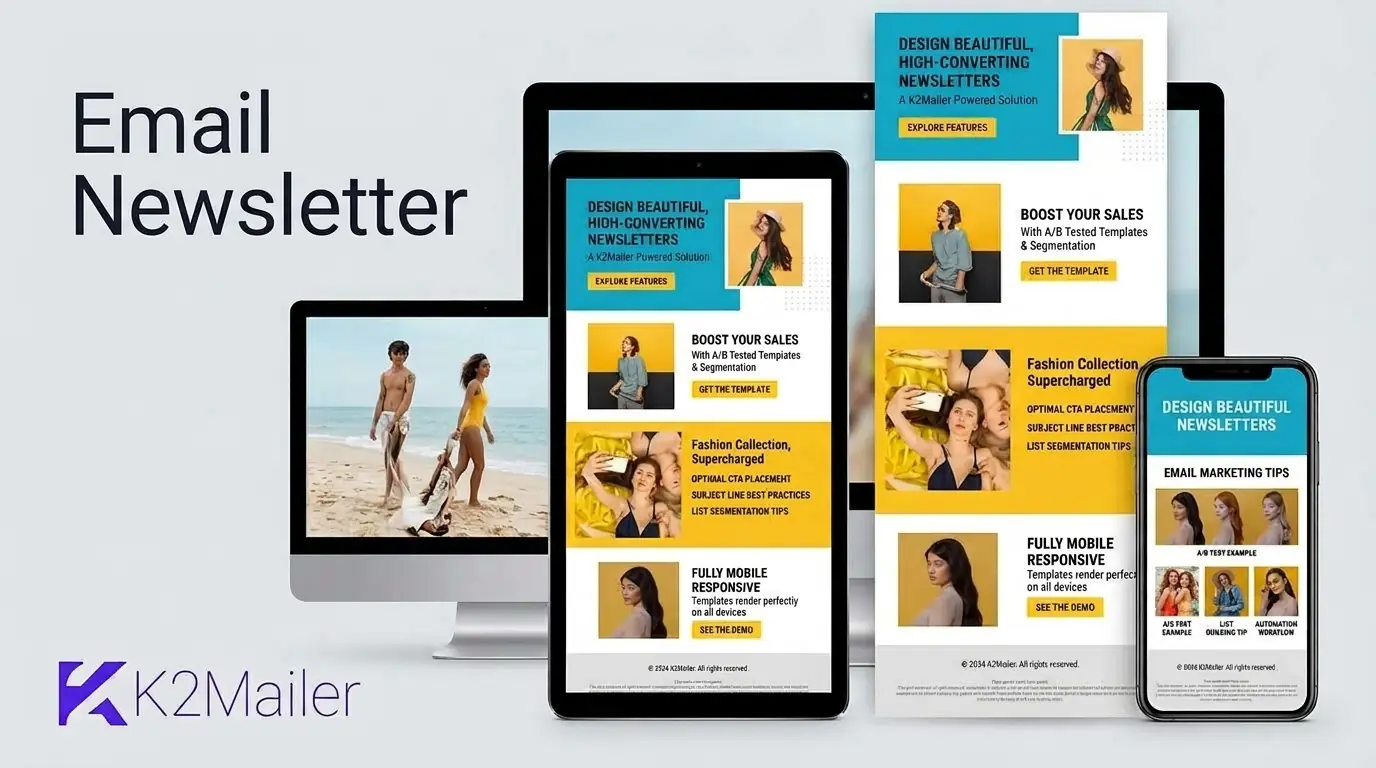
If you are starting from a blank page, newsletter templates and free email newsletter templates from your sending platform's template library are a reasonable starting point. Look for templates for email newsletter design that are already mobile-responsive, then customize colors, fonts, and block order to match your brand rather than building an email newsletter format from scratch. Most platforms, including K2Mailer's newsletter and email marketing features, include a drag-and-drop editor with pre-built newsletter templates so you can adapt a proven layout instead of designing one from zero.
Some teams start even simpler, drafting a newsletter in a Google Doc or building a basic subscriber list in a Google Sheet before moving to dedicated software. That is a fine way to test an idea, but a spreadsheet and a personal Gmail account cannot manage suppression lists, authentication, or bounce handling at scale, which is why most newsletters eventually move to a purpose-built email newsletter service once the list grows past a few hundred contacts.
Building Your Newsletter Subscription List the Right Way
A newsletter subscription is a small act of trust. The reader is trading inbox space for a promise that you will send something worth reading. Protect that trust from the very first form field.
- Keep the email newsletter form short. Ask for an email address first, and only request additional details, like name or interests, if you genuinely use them to personalize content.
- Set expectations at signup. Tell subscribers what they will get and how often, so the first issue does not feel like a surprise.
- Use double opt-in where it fits your audience. A confirmation step filters out mistyped addresses and improves long-term list quality.
- Segment from day one. Even a simple split, new subscriber versus existing customer, lets you send more relevant content without building complex automation right away.
- Never buy a list. Purchased contacts have not asked for your newsletter and will damage sender reputation quickly.
Subscriber management does not stop at signup. Review inactive contacts on a regular schedule, honor unsubscribes immediately, and keep your suppression list current so re-engagement campaigns do not accidentally reach people who already opted out. For a deeper walkthrough of growing a healthy list, see this email list building strategies guide.
Deliverability Fundamentals Every Newsletter Sender Needs
A brilliantly written newsletter that lands in spam accomplishes nothing. Deliverability, whether your message reaches the inbox rather than being filtered or rejected, depends on a handful of fundamentals that apply to every recurring sender.
- Authentication (SPF, DKIM, DMARC): these records prove to mailbox providers that your newsletter is legitimately coming from your domain.
- Sender reputation: built over time through low complaint rates, low bounce rates, and consistent, expected sending patterns.
- Bounce handling: automatically removing or suppressing hard-bounced addresses instead of retrying them.
- Suppression lists: a maintained record of unsubscribes and complaints that every future send must respect.
- Email-list hygiene: regularly reviewing engagement so a newsletter is not repeatedly sent to addresses that never open it.
Important: deliverability is a system, not a one-time setup. Authentication gets you in the door; ongoing list hygiene and recipient engagement keep you there. K2Mailer treats this as an operational workflow, covering sending-domain authentication, bounce and complaint processing, and suppression management, rather than a checkbox you configure once.
For a complete walkthrough of authentication and inbox placement, read this email deliverability guide.
Newsletter Automation and Drip Campaigns
Not every newsletter has to be written from scratch each week. Marketing automation lets you build a welcome series or drip campaign once and let it run for every new subscriber, freeing your time for the flagship issue. A short automated welcome drip that introduces new subscribers to your best content, before they receive their first regular newsletter, tends to improve long-term engagement because it sets expectations early.
It is worth keeping the distinction clear between a newsletter, a marketing drip sequence, and transactional email. Newsletters and drip campaigns are both marketing messages, subject to unsubscribe rules and content preferences. Transactional email, such as a subscription confirmation or account notice, is tied to a specific action and generally is not part of the newsletter content calendar. Keeping these streams separate protects both your reporting accuracy and your sender reputation.
A practical starting automation for most newsletters:
- Welcome email: sent immediately after signup, confirming the subscription and setting expectations.
- Best-of introduction: two or three days later, pointing new subscribers to your most useful existing content.
- First regular issue: the subscriber then rolls into your normal newsletter schedule.
For a broader look at building these workflows, see this email marketing best practices guide.
Measuring Newsletter Performance
Campaign analytics turn a newsletter from a guess into a repeatable process. Track these metrics issue over issue rather than judging any single send in isolation:
- Open rate: useful as a directional signal, though privacy features on some email clients can inflate it.
- Click-through rate: a stronger signal of genuine interest than opens alone.
- Unsubscribe and complaint rate: watch for spikes tied to a specific subject line, content type, or send frequency.
- Bounce rate: a rising bounce rate usually points to an aging list that needs cleaning.
- Growth versus churn: new subscribers minus unsubscribes over time, which shows whether the list is actually healthy.
Common Newsletter Mistakes to Avoid
| Mistake | Why it hurts | Better approach |
|---|---|---|
| Sending only when there is a sale | Subscribers learn to associate your name with pure promotion and stop opening. | Mix in genuinely useful content between promotional issues. |
| Inconsistent schedule | Irregular sends feel like an afterthought and reduce recognition. | Pick a frequency you can sustain and stick to it. |
| Cramming multiple CTAs into one issue | Competing calls to action reduce clicks on all of them. | Choose one primary action per issue. |
| Ignoring mobile rendering | Most opens happen on a phone, so a desktop-only layout breaks for most readers. | Design mobile-first and preview before every send. |
| Never cleaning the list | Stale addresses raise bounce rates and damage sender reputation. | Review engagement and suppress inactive contacts on a regular cadence. |
| Skipping authentication | Without SPF, DKIM, and DMARC, even well-written newsletters can be filtered. | Set up and verify authentication before scaling send volume. |
Choosing the Right Email Newsletter Platform
The best platforms to create email newsletter campaigns share a few non-negotiable capabilities: a mobile-responsive template builder, list segmentation, automated bounce and suppression handling, authentication support for SPF, DKIM, and DMARC, and clear campaign analytics. Beyond that baseline, the right choice depends on list size, budget, and how much automation your team actually needs.
When comparing email SaaS options, resist choosing on price alone. A cheap platform with weak deliverability tooling can cost more in lost inbox placement than a slightly pricier one with built-in list hygiene and sending-domain management. K2Mailer approaches newsletter sending as one part of a broader email marketing platform, combining a drag-and-drop template builder, segmentation, automation, and deliverability safeguards like bounce processing and suppression lists in one workflow, so a newsletter program does not outgrow its tools as the list scales.
Email Newsletter Marketing: Frequently Asked Questions
What is an email newsletter?
An email newsletter is a recurring email sent to subscribers who opted in, built around a consistent format and schedule rather than a single promotion. It typically mixes useful content, updates, and occasional offers, and is designed to build an ongoing relationship instead of closing one transaction.
How can I create an email newsletter?
Start by defining your audience and purpose, then choose a mobile-responsive newsletter template, add a signup form to collect subscribers, write your first issue around one main idea, and send it through an email marketing platform that handles authentication, list management, and unsubscribes for you.
What are the best platforms to create email newsletter campaigns?
Look for platforms offering a drag-and-drop template builder, list segmentation, automated bounce and suppression handling, SPF, DKIM, and DMARC authentication support, and clear analytics. Platforms such as K2Mailer combine these features, though the right fit also depends on your list size, budget, and automation needs.
How do I choose the right email newsletter service for a small business?
Prioritize deliverability tooling, an easy template editor, and pricing that fits your current list size rather than the cheapest plan available. A small business benefits most from a service that keeps sender reputation healthy and scales cleanly as the subscriber list grows, instead of one built only for large enterprise sending volume.
What is the difference between email and newsletter?
Email is the general medium, any message sent to an inbox, including transactional and one-off promotional messages. A newsletter is a specific type of marketing email defined by its recurring, editorial format sent on a predictable schedule to build a relationship, rather than a single message tied to one action or offer.
How often should I send a newsletter?
Choose a frequency you can sustain with genuinely useful content, commonly weekly, biweekly, or monthly. Consistency matters more than frequency: a monthly newsletter sent reliably tends to build more trust than a weekly one that becomes irregular after a few issues.
Are free email newsletter templates good enough to start with?
Yes, for most teams starting out. Free email newsletter templates from a reputable platform are typically already mobile-responsive and tested across major email clients, which solves the hardest part of newsletter design. You can customize colors, fonts, and block order to match your brand without building a layout from scratch.
Can I build a newsletter list using Google tools?
You can prototype a newsletter with Google Docs and a Google Sheet for early testing, but a personal Gmail account cannot manage authentication, suppression lists, or bounce handling at scale. Most newsletters move to a dedicated email marketing service once the list grows beyond a few hundred contacts.
Ready to Send a Newsletter Worth Opening?
Newsletter marketing works when the format is consistent, the design is mobile-first, and the sending infrastructure protects your reputation instead of quietly damaging it. K2Mailer brings templates, segmentation, automation, and deliverability safeguards together in one place so you can focus on the next issue instead of the machinery behind it.
Start your free K2Mailer trial