What Is Ecommerce Email Marketing (and Why Do Stores Still Bother)?
Here is a question worth asking before you spend another dollar on ads: if every platform you rely on changed its rules next month, who could you still reach? For most online stores the honest answer is nobody, apart from the people on their email list.
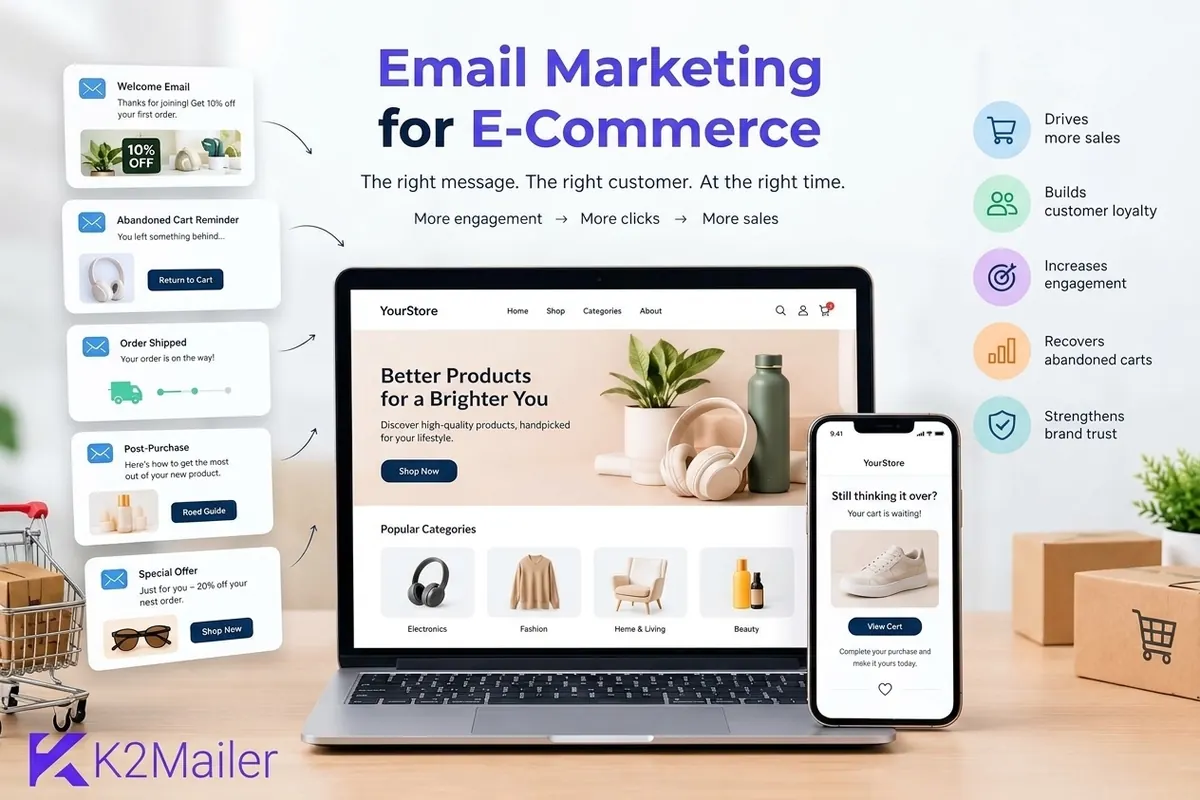
Ecommerce email marketing is the use of permission-based email to welcome new subscribers, recover abandoned carts, confirm and follow up on orders, bring back lapsed customers and announce offers. It is the part of email marketing ecommerce teams control completely: you own the list, you choose the timing, and nobody charges you again to reach the same person twice.
That ownership is why email keeps its place next to social and paid search. A social post reaches whoever the algorithm allows. An ad reaches whoever you pay for that day. An email reaches the inbox of someone who already said yes. For a small store, that is often the cheapest route to a repeat purchase.
You keep the list, whatever happens to ad costs or social reach
Messages fire on behavior, such as a cart left behind or an order shipped
Clicks, orders and revenue can be tied back to each message
Who this guide is for
This guide is written for store owners and marketers who are new to e commerce email marketing, plus anyone running email marketing for retailers or email marketing for retail stores that sell online as well as in a shop. It also applies to creators doing email marketing for digital products such as templates, courses or software licenses, with a few differences covered further down.
The Six Emails Every Online Store Should Send
Most beginners start with a newsletter because it feels like the obvious thing. It is also the hardest email to get right, because every send needs a fresh idea. Automated flows are the opposite: you write them once and they keep working. Start here.
| Email or flow | Trigger | Main goal | Typical timing |
|---|---|---|---|
| Welcome series | New subscriber or first account | Introduce the brand, deliver the signup offer, earn the first order | Immediately, then over about a week |
| Abandoned cart | Items added to cart, checkout not completed | Remove friction and recover the sale | About one hour, then a day or two later |
| Order confirmation and shipping | Order placed, order shipped | Reassure, set expectations, reduce support tickets | Immediately and at each status change |
| Post-purchase | Delivery confirmed | Help the customer use the product, ask for a review | A few days after delivery |
| Win-back | No purchase or click for a set period | Re-engage lapsed customers or clean the list | After a period that fits your buying cycle |
| Campaigns | A launch, sale or restock | Drive a burst of orders to a defined audience | Planned around the event |
Timings are starting points. Test them against how often your customers actually reorder.
Notice that only the last row is a classic broadcast. The other five are what people mean by ecommerce marketing automation: a trigger, a message, a goal. If you want the mechanics behind triggers and sequences, our guide to email marketing automation walks through them in detail.
How to Set Up Ecommerce Email Marketing in 7 Steps
If you are starting from zero, this order saves the most rework. Each step builds on the one before it, and skipping the early ones is the most common reason flows underperform later.
Decide how store data reaches your email platform
Abandoned cart and post-purchase emails need events from your store, such as cart activity and order status. Check whether your store connects natively or through an API, webhooks or a CSV export before you commit to ecommerce email marketing software.
Authenticate your sending domain
Set up SPF and DKIM for the domain you send from, then publish a DMARC record. Do this before your first campaign, not after your first spam folder complaint.
Import and organize your contacts
Bring in only people who agreed to hear from you. Split them into lists such as subscribers and customers, and add fields like first purchase date and product interest so segmentation is possible later.
Build the welcome series
Write three to four emails: a warm welcome with the offer, your story and best sellers, social proof, and a gentle reminder if they have not ordered.
Build the abandoned cart flow
Send a first reminder about an hour after abandonment, a second the next day, and optionally a third with an incentive. Include the exact items and a single button back to the cart.
Add post-purchase and win-back messages
Send usage tips and a review request after delivery, then a win-back sequence for customers who go quiet for longer than your normal reorder cycle.
Measure, then improve one thing at a time
Track revenue per recipient, click rate, unsubscribes and complaints for each flow. Change one variable at a time, such as the subject line or the delay, so you know what caused the result.
You do not need all seven steps finished in a week. A working welcome series on an authenticated domain beats a half-built set of ten flows every time.
Welcome Series: Your Best Chance to Earn the First Order
A new subscriber is never more interested in your store than in the first few minutes after signing up. That is why the welcome email routinely gets more attention than anything else you send. Treat it as a flow, not a single message.
What each email should do
- Email 1, right away: deliver the promised offer or guide, confirm what they will receive, and make one clear next step obvious.
- Email 2, about a day later: tell the brand story in two or three sentences and show best sellers, not the whole catalog.
- Email 3, around day three: add proof, such as real reviews, photos from customers or a short comparison that answers the question people hesitate over.
- Email 4, around day six: a reminder with a clear deadline if you offered a signup discount, and a softer message if you did not.
A word on signup discounts
A 10 percent welcome code works, but it also teaches some shoppers to subscribe, take the code and never return. If your margins are thin, consider offering free shipping, a gift with purchase or early access instead. Segment discount-driven subscribers so you can see whether they ever buy at full price. Our guide to email list building strategies covers lead magnets that attract the right people in the first place.
Quick test
Read your first welcome email as a stranger. Within five seconds, can you tell who sent it, what you get and what to click? If not, simplify before you send.
Abandoned Cart Emails: The Flow That Usually Pays for Itself
The Baymard Institute, which tracks checkout research, puts the average cart abandonment rate at roughly 70 percent. That means most people who add something to a basket leave without buying. Some were never serious. Plenty were interrupted, surprised by shipping costs or simply comparing options. An abandoned cart email speaks to those people.
Timing that makes sense
Send the first reminder within a few hours, while the shopper still remembers what they wanted. Send a second the following day. A third message after two or three days can carry an incentive if your margins allow it. Stop after that. Three reminders is persuasion; seven is pestering, and it raises unsubscribe and complaint rates.
What to put in the email
- The exact products they left, with image, name and price.
- One button that returns them to their saved cart, not the home page.
- An honest answer to the usual objections: shipping time, returns, payment options, support contact.
- Plain wording. A reminder works best when it sounds like a helpful person, not a pressure campaign.
Why this flow breaks and how to fix it
Abandoned cart emails depend on knowing who the shopper is and what is in their cart. That only happens when the visitor is identified, usually by logging in or typing an email at checkout, and when your store passes the event to your email platform. If the flow sends nothing, check the data path first, then the trigger, then the audience conditions. Writing better copy will not fix missing data.
Some email platforms do not ship a built-in storefront connector. In that case the usual pattern is to have your store push the contact into a dedicated list through an API when a cart is abandoned, then use a list-based trigger to start a sequence. Always confirm what your platform supports in its documentation before you plan around it.
Order, Shipping and Post-Purchase Emails (and the Transactional Question)
Here is a distinction that trips up many beginners. Transactional email is sent because of something the customer did: an order confirmation, a shipping notice, a password reset, a receipt. Marketing email is sent to promote or nurture. The two have different expectations, and many senders keep them on separate sending streams so a promotion problem never delays a receipt.
Your store platform often handles order confirmations itself. Your email marketing platform then picks up the relationship afterwards. Whatever combination you use, keep promotional content in transactional messages minimal, and check the rules that apply in your country, because requirements for transactional messages vary.
The post-purchase sequence worth building
- Delivery confirmation: reassure the customer the product arrived and point to support if something is wrong.
- Usage guide: a short how-to that helps them succeed with the product. Customers who succeed reorder and leave better reviews.
- Review request: ask about a week after delivery, once they have had time to use the item.
- Cross-sell: suggest items that genuinely pair with what they bought, not a random best-seller list.
This is also the quiet place where loyalty gets built. A customer who gets help after buying remembers the store as helpful, which is worth more than another discount code.
Segmentation: Send Fewer Emails That Feel More Personal
Sending every email to every contact is the fastest way to teach people to ignore you. Email ecommerce data makes segmentation easier than in most industries, because behavior is visible in every order and every click.
| Segment | How to define it | What to send |
|---|---|---|
| New subscribers, no purchase | On the list, zero orders | Welcome series, social proof, first-order incentive |
| First-time buyers | Exactly one order | Onboarding tips, review request, a second-purchase nudge |
| Repeat customers | Two or more orders | Early access, loyalty perks, referral invitations |
| High spenders | Top share of lifetime revenue | Exclusive previews, personal thank-you messages |
| Lapsed customers | No order or click for longer than the usual cycle | Win-back offer, then a sunset or removal step |
| Category browsers | Clicked or purchased within one category | Restock alerts and new arrivals in that category |
Start with three or four segments you can actually act on. Ten segments you never use help nobody.
Segmentation also protects deliverability. Mailing engaged people more often than inactive ones improves the signals mailbox providers see, which supports inbox placement for everyone on your list.
Deliverability: Make Sure the Emails Reach the Inbox
A flawless abandoned cart flow is worthless if it lands in spam, and every piece of ecommerce mailing you do depends on the same sender reputation. Deliverability is the quiet foundation under every other tactic in this guide, and for stores it deserves attention early.
Authentication basics
- SPF lists the servers allowed to send mail for your domain.
- DKIM adds a cryptographic signature so receivers can verify the message was not altered.
- DMARC tells receivers what to do when SPF or DKIM checks fail, and sends you reports.
Google and Yahoo now expect these from bulk senders. Google's published sender guidelines call for authentication, easy one-click unsubscribe on marketing mail and a low spam complaint rate, with 0.10 percent as the target to stay under. You can read the details in Google's email sender guidelines. The point for a store owner is simple: set these up once, correctly, and monitor them.
Bounces, suppression and list hygiene
- Hard bounces are permanent failures, such as an address that does not exist. Remove them right after every send.
- Soft bounces are temporary, such as a full mailbox. Retry a few times, then suppress.
- A suppression list holds addresses you must never email again, including unsubscribes and complaints. Import it when you change platforms.
- Run a win-back sequence for inactive subscribers, then remove those who still do not respond.
Sender reputation is built over time from how recipients react to your mail. Warm up a new domain gradually, send to engaged contacts first, and avoid buying lists. For a full walkthrough, see our email deliverability guide.
Compliance note
Rules such as CAN-SPAM, GDPR and CASL differ by country. The FTC's CAN-SPAM guidance is a good starting point for US senders. This guide is general education, not legal advice.
How to Choose Email Marketing Software for Ecommerce
Search for the best email marketing software for ecommerce and you will find dozens of options, each claiming to be the one. If you are sending e commerce mail at any volume, a better approach is to decide what your store needs and compare against that list. Software for ecommerce email marketing generally falls into three groups.
| Type of tool | Strength | Trade-off to check |
|---|---|---|
| Store-native or store-focused platforms | Deep storefront data, ready-made flow templates | Pricing often rises quickly with contact count, and they can be tied to one store platform |
| General email service platforms | Strong campaign tools and wide integrations | Cart and order events may need extra setup |
| Bulk-focused, deliverability-first platforms | Predictable pricing, sending controls, high-volume capacity | Storefront connectors may be limited, so event data may flow through an API |
Categories are broad generalizations. Check any specific product's current features and pricing before deciding.
The checklist that matters
- Event data: how do cart, order and customer events reach the platform?
- Automation: can you build welcome, abandoned cart, post-purchase and win-back flows with delays and conditions?
- Segmentation: can you segment by purchase behavior and custom fields?
- Deliverability tooling: domain authentication, bounce handling, complaint processing and suppression management.
- Analytics: clicks, conversions and revenue, ideally per flow.
- Pricing: model the cost at double your current list size, not only today's.
Where does K2Mailer fit? It is an affordable, deliverability-aware bulk email platform with lists, segments, custom fields, drips, triggers, auto follow-ups, split tests, bounce and complaint processing, suppression handling and an API. It does not advertise a unified visual journey builder, and it is not a storefront-native tool, so stores typically pass cart and order events in through the API or list imports. If controlled sending and predictable cost matter to you, the automation, segmentation and deliverability features are worth a look. If you want deep out-of-the-box storefront flows, compare carefully.
Special Cases: Retail Stores and Digital Products
Email marketing for retailers and retail stores
If you run a physical shop alongside an online store, your list is the bridge between the two. Collect emails at checkout with clear consent, tag contacts by location or store, and send local messages such as in-store events, restocks and pickup reminders. Email marketing for retail stores works best when each message gives people a reason to visit or order, not just a reminder that you exist.
Email marketing for digital products
Digital goods change the shape of the flows. There is no shipping and no returns window, so the post-purchase sequence focuses on onboarding: how to download, how to get the first result, where to ask for help. Abandoned cart emails still matter, and so does a renewal or upgrade sequence for subscriptions and licenses. Because delivery is instant, the cross-sell can happen within days of the first purchase.
A site chatbot can complement this. The AI Chat Assistant can answer pre-purchase questions from your own approved documents and capture visitor details in conversation, which feeds leads into the email list you are building.
Campaign Analytics: What to Measure and What to Ignore
Dashboards love vanity numbers. Here is how to separate signal from noise.
- Revenue per recipient: orders attributed to a message divided by the number of people it reached. It is the fairest way to compare flows and campaigns.
- Click-through rate: a stronger engagement signal than opens, because it reflects intent.
- Conversion rate: the share of clicks that become orders.
- Unsubscribe and complaint rates: early warnings that frequency or relevance is off.
- List growth and churn: new subscribers minus unsubscribes, bounces and removals.
Open rate deserves caution. Mail privacy features, such as Apple's Mail Privacy Protection, can preload images and register an open the person never made, so opens overstate real attention. Use them as a rough trend, never as the headline number.
Finally, measure flows separately from campaigns. A welcome series that quietly produces orders every week deserves different treatment from a Friday promotion that spikes and falls. Split tests help here: change one element, wait for enough sends to be meaningful, then keep the winner.
Run your store flows with controlled, high-volume sending
Set up lists, segments, drips and triggers, authenticate your domain and test your abandoned cart flow with a 14-day free trial. No credit card required.
Common Problems and How to Fix Them
Most ecommerce email problems show up as one of a handful of symptoms. Use this table to diagnose before you rewrite anything.
| Symptom | Likely cause | What to do |
|---|---|---|
| Abandoned cart emails never send | Store events are not reaching the platform, or the shopper was not identified | Check the data path, then the trigger, then the audience conditions |
| Low opens and rising spam placement | Missing authentication or a disengaged list | Verify SPF, DKIM and DMARC, then mail engaged segments first |
| Many unsubscribes after a promotion | Frequency or relevance mismatch | Segment the audience and reduce sends to inactive contacts |
| High bounce rate after an import | Old or unverified addresses | Verify the list and remove invalid addresses before sending |
| Strong clicks but few orders | Landing page or checkout friction | Match the email to a specific product page and review shipping messaging |
| Discount codes eroding margin | Over-reliance on incentives | Test free shipping, bundles or early access instead |
When something drops, change one thing and watch it. Changing five at once feels productive and teaches you nothing.
Beyond Email: Adding Web Push Without Replacing the Inbox
Email should stay the backbone, but it is not the only owned channel. If your store runs on WordPress, PushWave web push notifications let opted-in visitors receive browser alerts for flash sales, back-in-stock messages and cart reminders. Web push works from a browser subscription rather than an email address, so it reaches visitors who have not shared their inbox. It supports email rather than replacing it.
For timing, let email carry the detail and push carry the nudge. A back-in-stock push says the item is back. The email explains why it is worth buying. If you want a deeper look at sequencing the two, our guide to drip email campaigns explains how to space messages so each one earns its place.
A 30-Day Launch Plan for Beginners
Week 1: Foundations
Authenticate your domain, clean and import contacts, and create lists for subscribers and customers.
Week 2: Welcome series
Write and launch the three or four email welcome flow. Check that the signup form feeds it correctly.
Week 3: Abandoned cart
Connect cart events, build the two-step reminder, and send yourself test messages from a real cart.
Week 4: Post-purchase and review
Add the delivery follow-up and review request. Look at the numbers and choose one test to run next month.
By day 30 you will not have a perfect program. You will have three flows that quietly work while you do something else, and that is the real goal of email marketing ecommerce stores can actually sustain.
Frequently Asked Questions
What is ecommerce email marketing?
Ecommerce email marketing is the use of permission-based email to move shoppers through an online store. It covers welcome series, abandoned cart reminders, order and shipping updates, post-purchase follow-ups, win-back messages and promotional campaigns. Because you own the list rather than renting reach, it is one of the most cost-effective ways to drive repeat purchases.
How do I start email marketing for an online store?
Authenticate your sending domain with SPF, DKIM and DMARC, import only contacts who gave consent, and create separate lists for subscribers and customers. Then build three flows in order: a welcome series, an abandoned cart sequence and a post-purchase follow-up. Measure the results, then improve one element at a time so you learn what works.
What emails should every ecommerce store send?
At minimum, send a welcome series, an abandoned cart reminder, order confirmation and shipping updates, a post-purchase follow-up with a review request, and a win-back message for lapsed customers. Add seasonal campaigns and restock alerts once those automated flows are running reliably and producing measurable revenue for the store each month.
How many abandoned cart emails should I send?
Most stores do well with two or three reminders. Send the first within a few hours, a second the next day, and an optional third after two or three days, perhaps with an incentive. Going beyond that tends to raise unsubscribes and spam complaints while adding very little recovered revenue to your totals.
What is the best email marketing software for ecommerce?
There is no single best choice. Compare tools on how store events reach the platform, automation depth, segmentation, deliverability controls, analytics and pricing at your future list size. Store-native tools offer deeper storefront data, while bulk-focused platforms often offer lower cost and tighter sending control, usually with cart and order events passed in through an API.
Do I need SPF, DKIM and DMARC for ecommerce email?
Yes. Major mailbox providers expect bulk senders to authenticate their mail, and missing records raise the chance of spam placement or outright rejection. SPF authorizes sending servers, DKIM signs each message, and DMARC sets the policy and sends you reports. Set up all three for your sending domain before your very first campaign goes out.
How is transactional email different from marketing email?
Transactional email is triggered by a customer action, such as an order confirmation, shipping notice, receipt or password reset. Marketing email promotes or nurtures. Many senders keep them on separate streams so a promotional problem never delays a receipt. Rules for each type vary by country, so check the requirements that apply to your business.
Can email marketing work for digital products?
Yes. Email marketing for digital products focuses on instant onboarding rather than shipping. Send download and setup instructions, tips for getting a first result, and renewal or upgrade sequences for subscriptions and licenses. Abandoned cart reminders and review requests still work well, and cross-sells can follow within days of the first purchase.
Which metrics matter most in ecommerce email marketing?
Revenue per recipient, click-through rate, conversion rate, unsubscribe rate and spam complaint rate matter most. Treat open rate as a rough trend only, since mail privacy features can register opens that never actually happened. Measure automated flows separately from one-off campaigns so you can see exactly which messages earn their place.
Topics